No products in the cart.
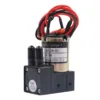
Konica 512i 30pl vs Konica 512 42pl Printhead
Konica 512i 30pl vs Konica 512 42pl is explained here for customers who need a practical, correctly matched result. Before choosing Konica 512i 30pl vs Konica 512 42pl, confirm the job, artwork, machine or product details that apply.
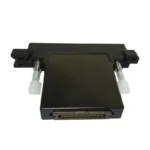
Konica 512i 30pl vs 512 42pl is a compatibility comparison, not a reason to treat the two printheads as interchangeable. The exact printer, control system, cables, board configuration, ink setup and installed head label must be checked before supply.
The Similar Name Can Be Misleading
Both names include Konica and 512, but the complete model reference matters. A shortened name in a message or invoice is not enough evidence for replacement.
Send a clear photograph of the fitted printhead label and the machine nameplate. If the label cannot be viewed safely, ask a qualified technician to identify it.
Check the Control System
A replacement printhead works with the machine’s control electronics, head board, main board, data cables and approved setup. These parts should be identified as a system.
Do not connect a head because the socket or cable appears similar. The exact board and cable arrangement should be confirmed from reliable machine information.
Ink and Existing Conversion
The current ink chemistry and the history of any machine conversion must be disclosed. A printer that has been modified may not match the original factory description.
Share images of the current ink label, tanks and relevant technician records. Mixing or changing products without a confirmed procedure can affect the complete ink-delivery path.
Condition Is Separate from Compatibility
A compatible model can still have a condition problem, while a new-looking unit can still be the wrong model. Identification and condition checks are separate decisions.
Packaging, labels and available test information should be reviewed at quotation time. No performance promise should be based only on appearance.
Information to Send Before Ordering
Provide the printer brand and exact model, fitted printhead label, board identification, cable arrangement, current ink, number of heads and delivery city.
Clear close-up images are more useful than edited screenshots. Include a wider machine photograph so the component can be understood in context.
Installation and Technical Responsibility
Printhead installation and configuration should be handled by an experienced technician familiar with the relevant machine. Incorrect connection, contaminated ink paths or unsuitable settings can create additional faults.
The supplier and technician should agree on the identified model and work scope before the sealed part is opened or installed.
Check the Relevant Product or Service
View Konica Printheads or explore Printheads for related options. Availability, compatibility, artwork, quantity and delivery details are confirmed before quotation.
Contact AR PRINTERS & ENGINEERS
AR PRINTERS & ENGINEERS has supported printing businesses and commercial customers from Lahore, Pakistan since 2008. Contact our team with the relevant machine details, existing product label, artwork or project requirement so the correct option can be checked before ordering.
Receiving and Verifying the Correct Printhead
Before installation, compare the supplied label and packaging with the confirmed quotation while the unit is still sealed. If any model marking differs, pause and contact the supplier instead of attempting a connection.
Keep the invoice, photographs and identification record together. This documentation supports future board, cable, ink and maintenance discussions because the installed configuration can be traced accurately.
The technician should inspect the wider ink and electrical system before opening or fitting a replacement. A contaminated system or unresolved board fault can affect a correct new component.
After installation, record the date, approved ink and responsible technician. This creates a reliable reference for subsequent maintenance without making unsupported assumptions about service life or output.
Compatibility Confirmation Before Payment
Ask the supplier to repeat the full confirmed printhead reference on the quotation. The printer model, installed control system and current ink information should be attached to the same discussion so the identification decision has a clear basis.
If the information is incomplete or conflicting, pause the order and obtain a technician’s assessment. Waiting for reliable identification is safer than opening or installing a high-value part that cannot be returned after use.
Konica 512i 30pl vs Konica 512 42pl: Practical Confirmation
Konica 512i 30pl vs Konica 512 42pl should be confirmed against the real job, printer or supplied artwork before quotation. AR PRINTERS & ENGINEERS uses available labels, photographs and production details to avoid guessing.
Share the quantity, delivery city and any relevant size, model or compatibility information. If details do not agree, clarification is requested before the order proceeds.
Keep the approved information with the job record so repeat orders can be checked consistently. Stock, compatibility and scheduling are reconfirmed when a new quotation is requested.
Official Technical Reference
For general information about industrial inkjet printheads, review the official Konica Minolta inkjet printhead overview. Final selection still depends on the exact printer, board, cable and ink-system details supplied for checking.







Add comment