No products in the cart.
Printer Ink Pump, Damper, Filter and Tank Problem Checks
Printer Ink Pump is explained here for customers who need a practical, correctly matched result. Before choosing Printer Ink Pump, confirm the job, artwork, machine or product details that apply.
Printer Ink Pump and Damper problems should be checked as part of the complete ink-delivery system. Pumps, dampers, filters, tanks, tubes, connectors, ink and printheads interact, so replacing one item without diagnosis may not solve the fault.
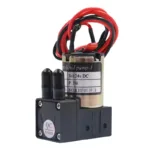
Printer Ink Pump: Practical Confirmation
Printer Ink Pump should be discussed using the exact project, product or machine information rather than a broad assumption. Clear identification keeps the quotation relevant and reduces avoidable changes.
When requesting Printer Ink Pump, share the current requirement, available labels or artwork, quantity and delivery city. AR PRINTERS & ENGINEERS checks the supplied information before confirming the available option.
For repeat work involving Printer Ink Pump, keep the approved reference and report any change before ordering again. Current availability and compatibility are confirmed at quotation time.
Record the Actual Symptom
Note which colour or channel is affected, when the problem started and whether it appears during startup, cleaning or continuous printing.
Photographs and a short clear video may help a technician understand leaks, empty lines, unusual movement or repeated loss of flow.
Inspect for Leaks and Restrictions
Visible cracks, loose connections, folded tubes, blocked filters or damaged seals can interrupt the ink path. Inspection should be performed safely with the machine in an appropriate condition.
Do not tighten or replace parts at random. Incorrect connectors or unsuitable materials can introduce air or contamination.
Check Part Identification
Send photographs of the installed pump, damper, filter or tank with labels, connector layout and surrounding position visible. The machine and printhead models are also required.
Similar-looking components can have different intended applications. Exact identification comes before supply.
Ink Condition and Previous Work
Tell the technician if ink was recently changed, mixed, refilled from an unknown container or left in an inactive printer. Previous maintenance affects diagnosis.
Keep the current ink label and batch information available. Cleaning liquids and procedures should be confirmed for the approved chemistry.
Avoid Unnecessary Printhead Replacement
A flow problem does not automatically prove that the printhead has failed. The ink path, electrical system and maintenance history should be checked in a logical order.
Likewise, a new pump or damper will not correct an electrical, control or printhead fault. Diagnosis protects the customer from replacing unrelated parts.
Request Parts and Service
Provide the exact component name if known, clear images, printer model, printhead model, ink type, quantity and delivery city.
AR PRINTERS & ENGINEERS can discuss compatible parts, repair and technical service in Lahore after reviewing the available evidence.
Check the Relevant Product or Service
View Ink System Parts or explore Ink System Parts for related options. Availability, compatibility, artwork, quantity and delivery details are confirmed before quotation.
Contact AR PRINTERS & ENGINEERS
AR PRINTERS & ENGINEERS has supported printing businesses and commercial customers from Lahore, Pakistan since 2008. Contact our team with the relevant machine details, existing product label, artwork or project requirement so the correct option can be checked before ordering.
Maintenance Records Improve Diagnosis
Record the date and reason whenever a pump, damper, filter, tank or tube is replaced. Also note the approved ink and the technician responsible for the work.
Compare a new symptom with earlier service history. Repeated failure in the same channel may point to a wider condition that should be investigated rather than another isolated part change.
Keep removed components available until the repair has been verified. Labels and connector details can help confirm whether the replacement matched the previous installation.
After service, test the machine in a controlled way before a long production run. Clear records and measured checks reduce uncertainty for both the customer and technical team.
Receiving Replacement Ink-System Parts
Compare the supplied component with the confirmed photographs before installation. Check labels, connectors and visible shape while keeping packaging intact, and report any difference to the supplier.
The responsible technician should install the part and verify the system for leaks, air entry and normal flow before full production. Keep the old component and service record until the repair has been confirmed.
Final Confirmation
Before ordering, compare the exact requested part with the installed item and the technician’s diagnosis. Record the printer, printhead, connector and ink information on the quotation. If photographs or labels do not agree, pause the replacement and resolve the identification before packaging is opened.
Official Technical Reference
For general information about industrial inkjet printheads, review the official Konica Minolta inkjet printhead overview. Final selection still depends on the exact printer, board, cable and ink-system details supplied for checking.






Add comment